

Technology changes often catch organizations off guard, and the recent news about Microsoft phasing out your standalone SharePoint and OneDrive plans by 2029 is no exception if you’re using such plans. While SharePoint and OneDrive themselves aren’t disappearing, the standalone plans many small businesses and professionals rely on will no longer be available. You can read more about this announcement here.
Proactive planning is the key to navigating this shift smoothly. In this article, we’ll explore why this change is happening, what it means for your organization, and how you can prepare strategically to avoid last-minute chaos. Let’s dive in.
Why Are Standalone SharePoint and OneDrive Being Phased Out?
Microsoft’s decision to sunset standalone SharePoint and OneDrive plans reflects its broader vision for a unified, cloud-first ecosystem. Many small businesses initially adopt standalone plans, assuming they’ll upgrade as they grow. However, this announcement accelerates the need for action, as these plans will no longer be supported after 2029.
Here’s why Microsoft is making this move:
- Unified Cloud Ecosystem: Microsoft is doubling down on its Microsoft 365 platform, which integrates tools like Teams, OneDrive for Business, and SharePoint Online into a seamless productivity suite. This approach fosters better collaboration, scalability, and security.
- Limitations of Standalone Products: Standalone SharePoint and OneDrive plans lack the advanced features and integrations that modern businesses need. For example, they don’t offer the same level of AI-driven insights or automation capabilities as Microsoft 365.
- Focus on AI and Automation: Microsoft 365 incorporates cutting-edge AI tools, such as Copilot, to enhance productivity. These features are unavailable in standalone plans, making them less competitive in today’s tech landscape.
This shift aligns with a broader industry trend toward subscription-based models and integrated cloud solutions, ensuring businesses have access to the latest features and security updates.
What Does This Mean for Your Organization?
If your organization still relies on standalone SharePoint or OneDrive plans, this change could have significant implications. Here are some challenges you might face if you delay planning:
- Increased Costs: Waiting until the last minute to migrate could result in higher costs for expedited services and rushed implementations.
- Workflow Disruptions: Transitioning to a new platform without proper planning can disrupt workflows and reduce employee productivity.
- Security Risks: Outdated or unsupported software is more vulnerable to cyber threats, putting your organization’s data at risk.
By starting the transition process early, you can mitigate these risks and ensure a smoother migration.
Can We Keep Using Standalone SharePoint and OneDrive Until 2029?
Technically, yes you can continue using standalone SharePoint and OneDrive plans until 2029. But is it a good idea? Not really. Waiting until the last moment is like waiting until the final day of a sale to buy something essential, only to find it out of stock or overpriced.
Here’s why waiting is risky:
- You’ll miss out on new features and updates that enhance productivity and security.
- Support for standalone plans will dwindle, leaving you vulnerable to potential issues.
- A rushed transition could lead to higher costs and operational disruptions.
It’s better to start planning now to avoid these pitfalls and take full advantage of the benefits Microsoft 365 offers.
How to Start Planning for the Transition
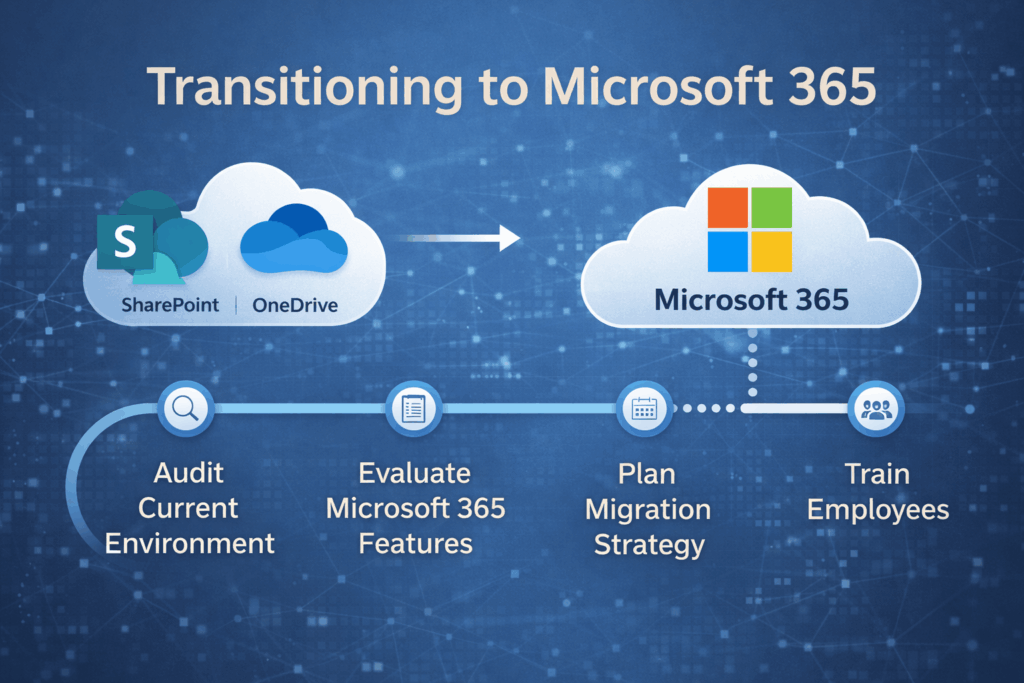
Preparing for the migration to Microsoft 365 or an alternative solution doesn’t have to be overwhelming. Follow these steps to ensure a smooth transition:
- Audit Your Current Environment: Identify how your organization uses SharePoint and OneDrive today. What files, workflows, and integrations are critical to your operations?
- Evaluate Microsoft 365: Explore the features of Microsoft 365, such as Teams, OneDrive for Business, and SharePoint Online, to see how they can meet your needs.
- Plan Your Migration: Develop a timeline and budget for transitioning to Microsoft 365 or another solution. Include milestones for data migration, testing, and user adoption.
- Train Your Team: Provide training to ensure employees are comfortable using the new tools and understand how to maximize their benefits.
- Partner with Experts: Consider working with IT service providers like CRES Technology to streamline the migration process and minimize disruptions.
What Are the Benefits of Moving to Microsoft 365?
Transitioning to Microsoft 365 offers numerous advantages over standalone SharePoint and OneDrive plans. Here are some key benefits:
- Enhanced Collaboration: Microsoft 365 enables real-time co-authoring, seamless integration with Teams, and advanced sharing options.
- Improved Security: Features like advanced compliance tools, multi-factor authentication, and data loss prevention help protect your organization’s data.
- AI-Driven Productivity: Tools like Microsoft Copilot use AI to automate repetitive tasks, generate insights, and improve decision-making.
These features empower organizations to work smarter, not harder, while staying secure and compliant.
Lessons from Past Technology Transitions
History shows that organizations that plan ahead for technology transitions fare much better than those that wait. For example, when Microsoft ended support for Windows 7 in 2020, businesses that upgraded early avoided the last-minute scramble and associated costs. Those who delayed faced compatibility issues, security risks, and higher expenses for rushed migrations.
The lesson is clear: proactive planning pays off. Don’t wait until 2029 to start preparing for the end of standalone SharePoint and OneDrive plans.
Conclusion
Microsoft’s decision to phase out standalone SharePoint and OneDrive plans is a wake-up call for organizations to start planning their transitions now. Proactive planning can prevent costly last-minute decisions, ensure a smoother migration, and unlock the full potential of Microsoft 365’s advanced features.
At CRES Technology, we specialize in helping SMBs navigate technology transitions with confidence. From audits and migrations to training and support, we’re here to ensure your organization is ready for the future. Start assessing your current systems today and take the first step toward a seamless transition.
How we can help:
CRES Microsoft 365 Support is our Microsoft Office 365 administration and support. We configure this platform for your business needs so you can take full advantage of its extensive capabilities.

Some of our clients needed to use Microsoft 365 for their business needs. However, they didn’t know how to take advantage of its capabilities to improve their productivity. That’s where CRES Technology comes in.
Microsoft Office 365 is a powerful platform, loaded with productivity, collaboration, and security features that can help transform any organization into a cutting-edge company. With CRES Microsoft 365 Support, you get ongoing support for User Administration, Office Applications, Email, SharePoint, Teams, and Workflow Automation. With our deep expertise in Microsoft 365, we can train your staff and configure this platform to improve your productivity.
About Irfan Butt

CRES Technology – Founder and CEO
A strategic leader with over twenty years of progressive experience in Business Administration, Finance, Product Development, and Project Management. Irfan has a proven track record in a broad range of industries including hospitality, real estate, banking, finance, and management consulting.