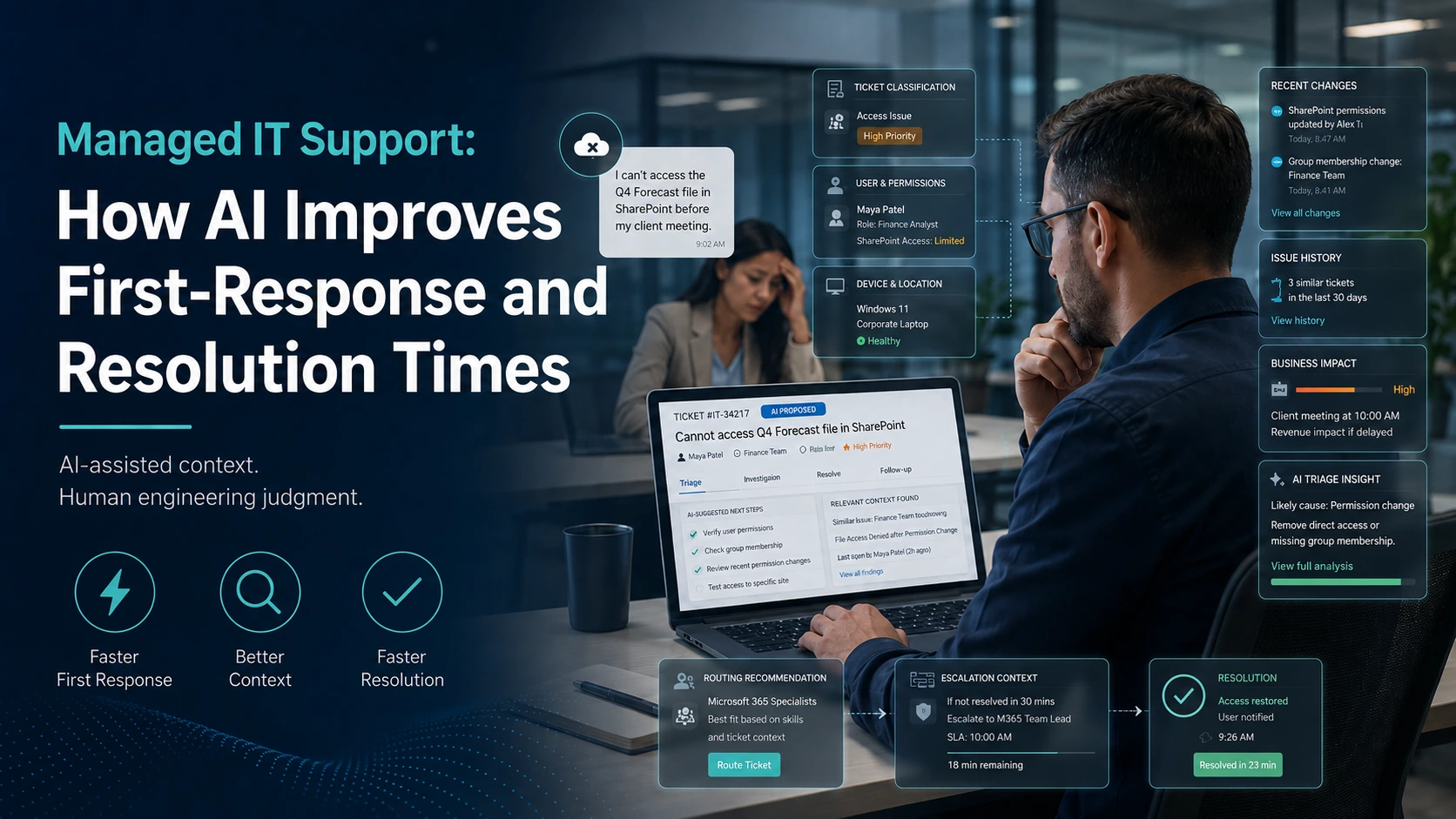
Imagine this: a team member is preparing for an important client meeting and suddenly loses access to a key Microsoft 365 file. The support team needs to understand the user’s permissions, device status, recent changes, ticket history, and potential business impact before recommending a next step. In situations like this, delays can disrupt productivity and client confidence. As founder and CEO of CRES Technology, I have seen how AI can strengthen managed IT support by organizing context, identifying patterns, and surfacing relevant information for engineer review. AI can help teams respond more efficiently, but engineers still own judgment, communication, security decisions, and resolution quality.
Why Do First-Response and Resolution Times Matter for Business Teams?
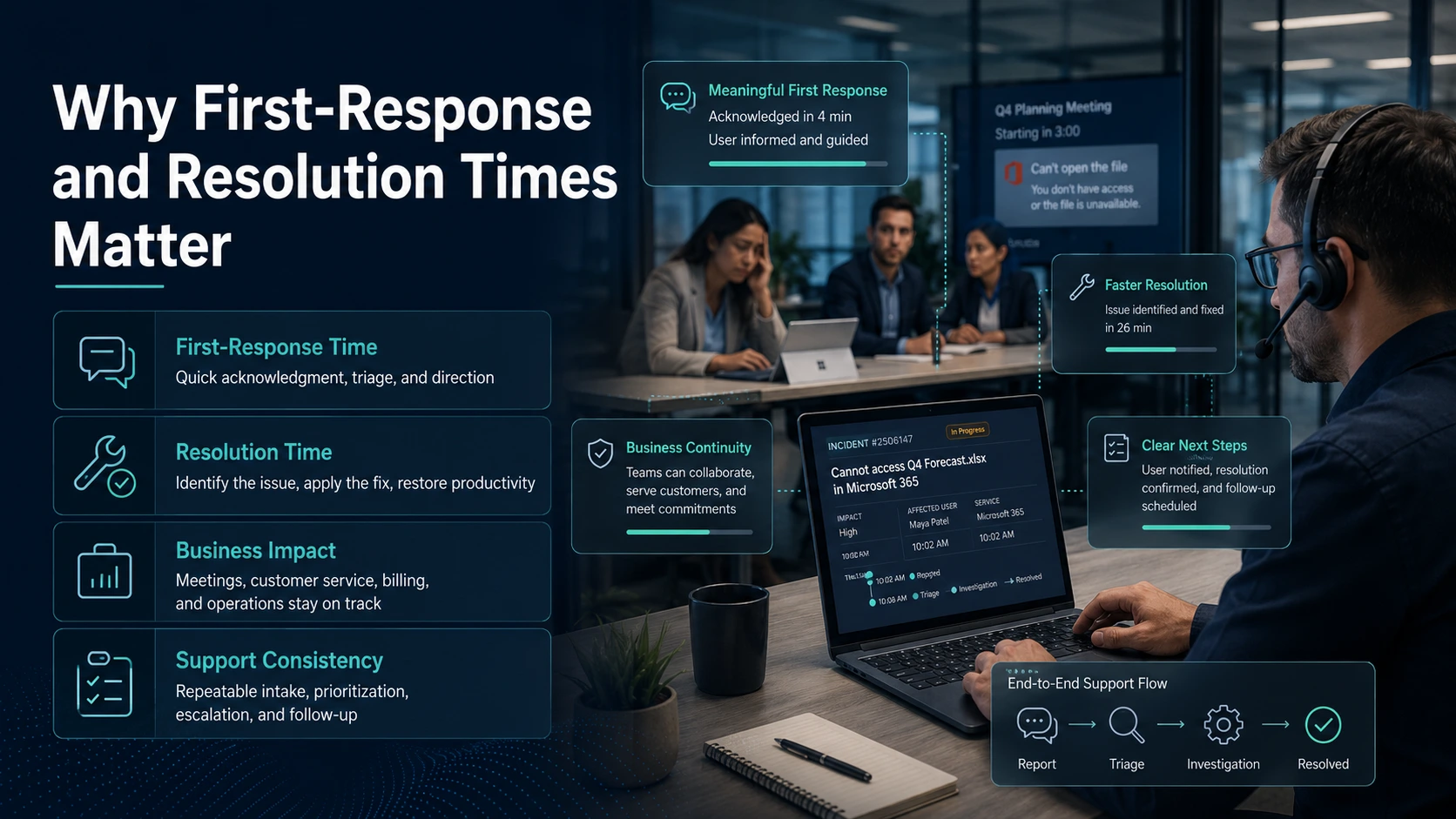
First-response and resolution times are important measures of IT support performance, but their value goes beyond a dashboard. They affect whether employees can continue working, whether customers receive timely service, and whether business operations remain on track.
- First-response time: How quickly a user receives a meaningful acknowledgment, initial triage, and clear direction after reporting an issue.
- Resolution time: How long it takes to identify the issue, apply an appropriate fix, verify the result, and restore productivity.
- Business impact: Delayed support can interrupt meetings, customer service, billing, onboarding, collaboration, and other operational work.
- Support consistency: Reliable support depends on repeatable intake, prioritization, escalation, documentation, and follow-up processes.
The goal is not to promise an exact response or resolution time for every situation. It is to help the support team reach useful context sooner, prioritize work appropriately, and communicate clearly throughout the process.
How Does AI Improve the First Response?
AI-assisted support can help teams understand incoming requests faster without becoming the final decision-maker. It can organize information from tickets and approved support systems so engineers begin with a clearer view of the request.
- Ticket classification: AI can help categorize issues by application, device, user access, urgency, and likely support path.
- Impact signals: AI can summarize the user’s role, affected service, recurring issue history, and possible business impact for engineer review.
- Routing support: AI can help route common Microsoft 365 support, endpoint, network, identity, or application issues to the appropriate workflow.
- Clearer user communication: AI-assisted summaries can help engineers ask more relevant questions and provide practical next steps.
This preparation can reduce time spent reconstructing basic context. The engineer still decides what evidence is reliable, what questions remain unanswered, and whether the issue requires escalation.
How Does AI Help Engineers Resolve Issues Faster?
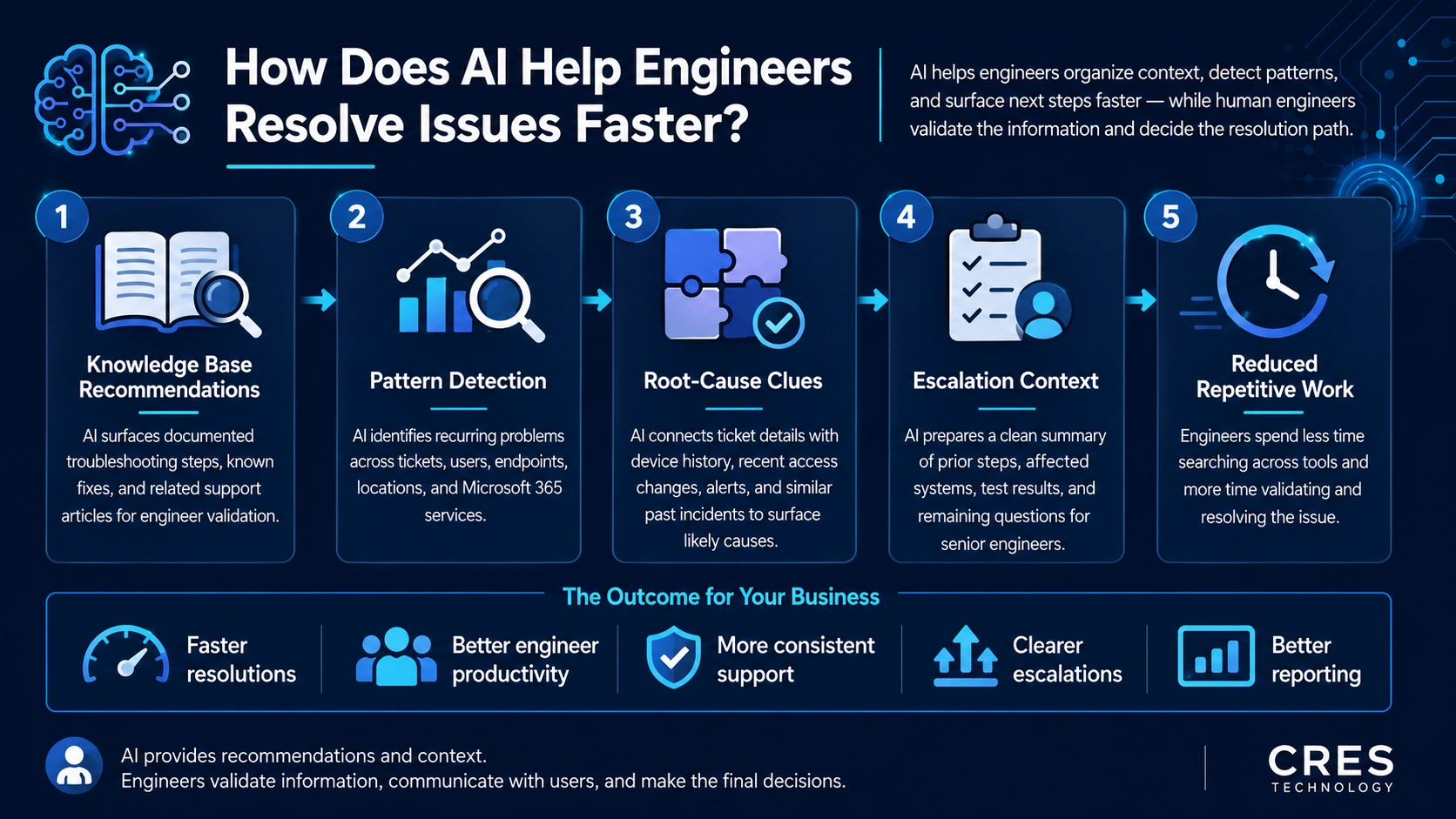
AI can also improve the work that happens after initial triage. Within managed IT support services, it can surface documented guidance and related history so engineers spend less time searching across disconnected records and more time validating the right course of action.
- Knowledge base recommendations: AI can surface documented troubleshooting steps, known fixes, and related support articles for engineer validation.
- Pattern detection: AI can help identify recurring problems across tickets, users, endpoints, locations, and Microsoft 365 services.
- Root-cause clues: AI can connect ticket details with device history, recent access changes, monitoring alerts, and similar past incidents.
- Escalation context: Senior engineers can receive a cleaner summary of prior steps, affected systems, test results, and remaining questions.
- Reduced repetitive work: Engineers can spend less time rebuilding basic context and more time investigating and resolving the issue.
These benefits depend on accurate ticket details, current documentation, appropriate access controls, and human verification. AI recommendations should be treated as inputs to the support process, not automatic instructions.
What Does AI Not Replace in IT Support?
AI does not replace the expertise, judgment, and accountability of experienced engineers. Its role is to improve the process around technical professionals, not remove technical ownership.
- Engineers must verify recommendations before applying fixes, especially for complex, sensitive, or unfamiliar issues.
- Security-sensitive access changes, unusual sign-ins, data exposure concerns, and executive-impacting outages require human judgment.
- AI can be wrong when ticket details, logs, asset data, permissions, or documentation are incomplete.
- Users still need clear communication, expectation-setting, and follow-up from accountable support professionals.
- AI cannot guarantee uptime, cybersecurity protection, instant resolution, or fully autonomous IT support.
Organizations should align AI-assisted support with their security policies, privacy requirements, approval processes, and escalation standards. The NIST AI Risk Management Framework is a useful external reference for managing AI risk responsibly.
How Can SMBs Evaluate AI-Enabled Managed IT Support?
Small and medium-sized businesses should evaluate AI-enabled IT support by examining the operating model behind the technology. Useful questions include:
- How are tickets triaged, prioritized, routed, escalated, and documented?
- Do engineers review AI suggestions before acting on complex or sensitive issues?
- Are there structured support workflows, clear ownership, and useful reporting on recurring problems?
- Are Microsoft 365 support, endpoint management, cybersecurity services, backup readiness, and onsite coordination available where needed?
- How does the provider protect customer information and control access to support data?
- Does the provider make realistic claims, or imply that AI alone can replace experienced engineers or guarantee outcomes?
A responsible provider should be able to explain where AI is used, where human review is required, and how support quality is measured without relying on vague automation claims.
Where CRES Technology Fits
CRES Technology helps businesses manage, support, secure, and improve their IT environments through structured processes and AI-assisted tools. Relevant service areas include IT services, Managed IT Services, Microsoft 365 Support, Cybersecurity Services, Infrastructure Services, Virtual CIO guidance, Onsite Support, and Staff Augmentation.
We use documented support processes, Dynamics 365 Helpdesk configured for CRES support needs, RMM tooling such as Atera, and AI-assisted recommendations to help engineers work from better context and guidance. Our engineers remain responsible for validating recommendations, communicating with users, assessing risk, and determining the appropriate resolution path.
Conclusion
AI can improve first-response and resolution times when it is part of a structured support process supported by reliable documentation, monitoring, escalation, and human engineering judgment. It can help teams organize context, identify patterns, and surface relevant next steps sooner. Experienced engineers remain essential for communication, validation, security decisions, risk assessment, and long-term IT improvement. At CRES Technology, we combine AI-assisted efficiency with human expertise to help businesses build a more consistent and practical support experience.
About Irfan Butt

CRES Technology – Founder and CEO
A strategic leader with over twenty years of progressive experience in Business Administration, Finance, Product Development, and Project Management. Irfan has a proven track record in a broad range of industries, including hospitality, real estate, banking, finance, and management consulting.