Home IT Support is no longer only about fixing a printer after it refuses to cooperate five minutes before a deadline. I am Waqar Hussain, Director of IT Services at CRES Technology, and I see the same pattern often: remote work depends on home technology, but many home setups were never designed to carry a full business day of video calls, cloud apps, shared files, security requirements, and family device traffic.
That is where practical B2C IT Support can make a difference. When Wi-Fi drops during a client meeting, a laptop slows down during payroll, or Microsoft 365 access stops working right before a presentation, the issue is not just annoying. It interrupts work, creates stress, and can expose gaps in security and device management. Professional home IT support helps remote workers move from occasional fixes to a more reliable work-from-home setup.
What Are the Most Common Work-from-Home IT Challenges?
Remote work has clear benefits, but it also brings technical problems into the home. These issues are familiar because they usually show up at the worst possible time.
- Unstable Wi-Fi connections: Dropped video calls, slow file uploads, and buffering during meetings are often caused by weak signal coverage, router placement, overloaded networks, or outdated equipment.
- Slow or outdated devices: A personal laptop or desktop may not be optimized for business applications, security tools, video conferencing, and daily multitasking.
- Printer and peripheral problems: Paper jams, driver errors, scanner issues, and wireless printer disconnects can consume more time than the document itself.
- Software glitches: Updates, permissions, compatibility issues, and unfamiliar applications can slow down work when there is no nearby office support desk.
- Security concerns: Home networks, shared devices, weak passwords, phishing attempts, and unmanaged endpoints can create avoidable risk for both personal and business data.
How Does Home IT Support Solve These Problems?
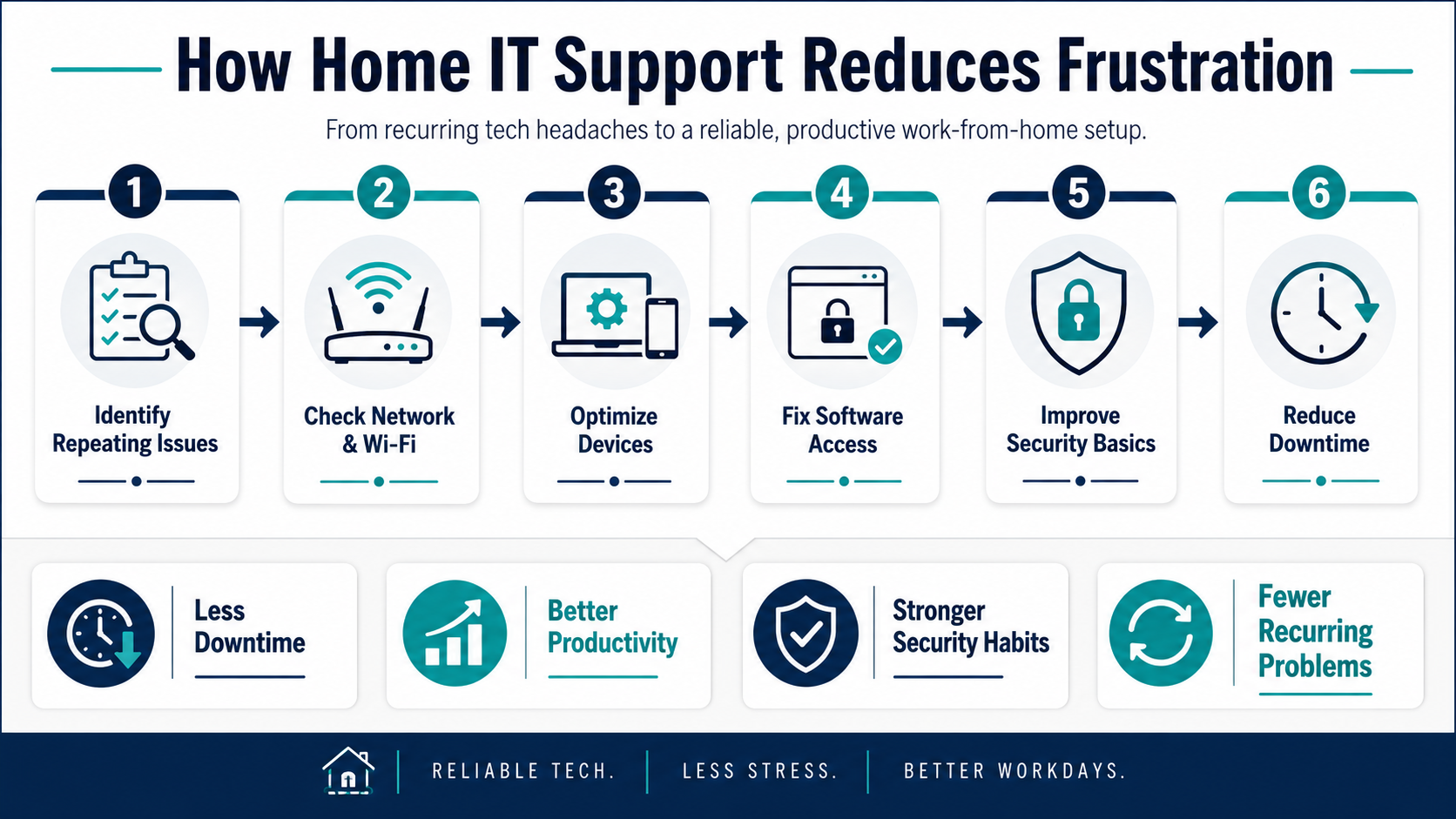
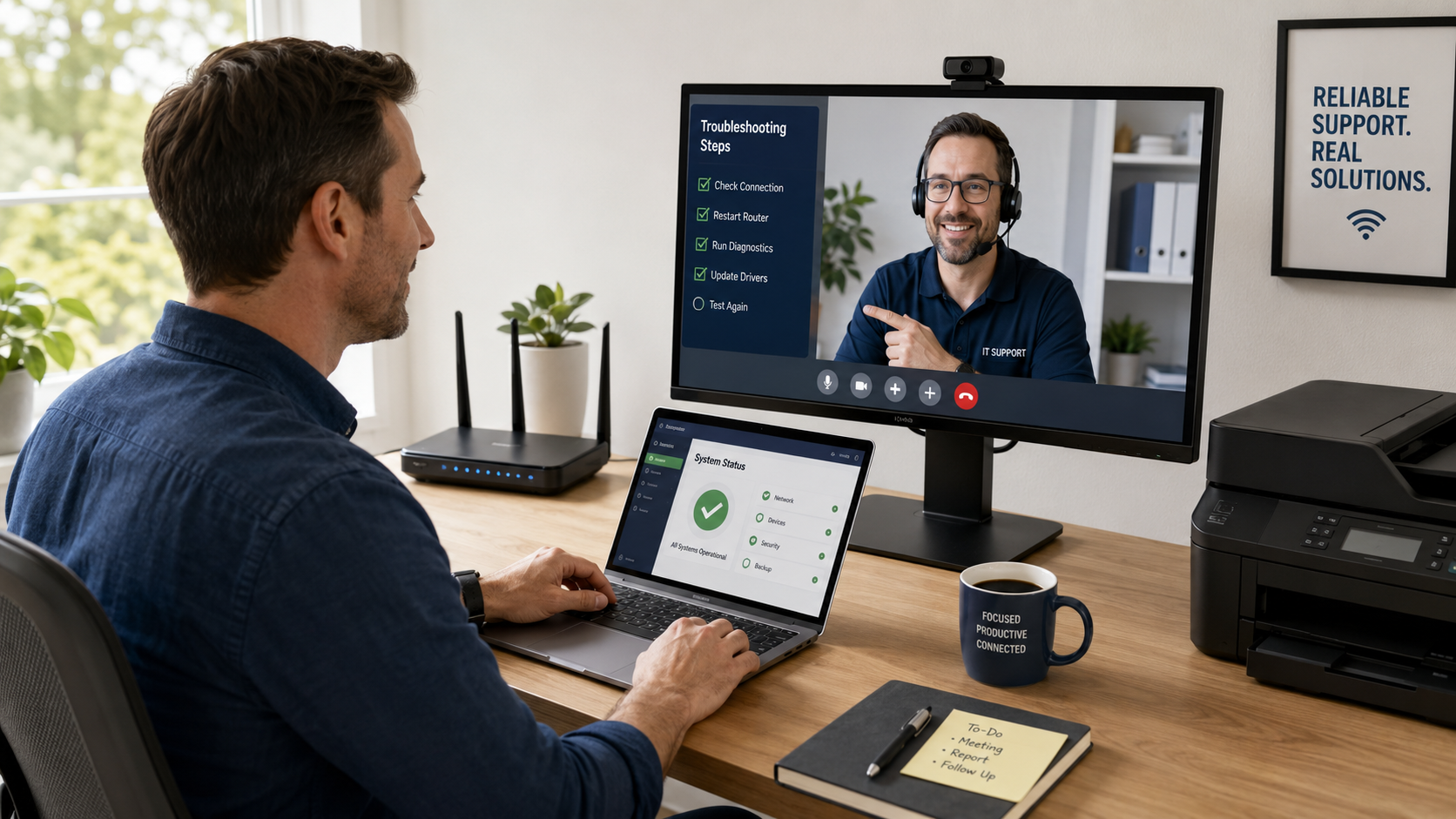
Good home IT support is not just someone telling you to restart the router. It is structured troubleshooting, practical setup help, and ongoing guidance for the technology people rely on every workday.
Network Optimization
An IT support professional can review router placement, Wi-Fi coverage, signal strength, bandwidth use, and device congestion. The goal is to reduce dead zones, improve reliability, and make video calls, file sharing, and cloud applications work more consistently.
Device Setup and Troubleshooting
Laptops, desktops, printers, webcams, monitors, docking stations, and mobile devices all need correct setup and maintenance. Home IT support can help configure devices, resolve performance problems, install updates, and troubleshoot hardware issues before they become recurring disruptions.
Software Support
Remote workers often depend on Microsoft 365, Teams, Zoom, VPN tools, browsers, accounting systems, CRMs, and industry-specific applications. Support can help resolve access issues, update problems, application errors, and basic configuration concerns so users can work with fewer interruptions.
Security Enhancements
Home IT support can help users strengthen practical security controls, including password hygiene, device updates, antivirus or endpoint protection, VPN configuration where appropriate, router security, and safer remote-work habits. Security support should reduce everyday risk without claiming that any setup can guarantee protection.
Remote Troubleshooting
Many issues can be diagnosed remotely, which reduces downtime and avoids unnecessary onsite visits. When physical help is needed, support can also guide the user or coordinate the right next step.
What Are the Benefits of Professional Home IT Support?
Professional support helps remote workers and households move beyond repeated trial-and-error fixes. The benefits are practical and easy to measure in daily work.
- Less downtime: Faster diagnosis and resolution can reduce interruptions during meetings, deadlines, and client work.
- Better productivity: Optimized devices, stable connectivity, and cleaner software configuration help people spend more time working and less time troubleshooting.
- Stronger security discipline: Support can help improve basic protections for home networks, devices, accounts, and remote access.
- Fewer recurring problems: A structured support approach looks for patterns instead of treating every issue as a one-time annoyance.
- Clearer guidance: Users get practical advice about when to repair, replace, upgrade, or reconfigure technology.
Who Can Benefit Most from Home IT Support?
Home IT support can help many users, but it is especially useful for people whose work depends on reliable home technology.
- Remote employees: Professionals who rely on video calls, file sharing, collaboration tools, and secure access need dependable technology throughout the day.
- Small business owners: Owners working from home often need support for devices, cloud tools, printers, business applications, security, and backups.
- Freelancers and consultants: Independent professionals cannot always wait for office-based IT support, especially when client deadlines are involved.
- Families with shared technology: Households with multiple users, school devices, streaming, gaming, and work applications can benefit from better network planning.
- Students and home-based learners: Reliable connectivity, device performance, and software access matter when classes, assignments, and exams happen online.
How to Get Started with Home IT Support
Before asking for support, take a short inventory of the problems that keep repeating. This gives the support provider a clearer starting point and helps separate one-time issues from environment problems.
- List recurring problems with Wi-Fi, devices, printers, software, or remote access.
- Identify when problems happen, such as during video calls, large uploads, or after updates.
- Check which devices are used for work, school, personal activity, and shared household needs.
- Ask whether the provider can support remote troubleshooting, network review, device setup, software support, and security basics.
- Discuss whether any onsite coordination is needed for cabling, hardware, office moves, or physical equipment setup.
Where CRES Technology Fits
CRES Technology helps businesses manage, support, secure, and improve their IT environments. For home-based professionals and small business users, relevant support may include Managed IT Services, Microsoft 365 Support, Cybersecurity Services, Infrastructure Services, Virtual CIO guidance, Onsite Support coordination, and Staff Augmentation where additional technical capacity is needed.
CRES approaches support as a structured service, not just a quick fix. That means looking at user issues, devices, networks, security basics, Microsoft 365 administration, documentation, and recurring support patterns together.
Conclusion
Work-from-home frustration usually comes from small technology problems that repeat: unstable Wi-Fi, slow devices, printer errors, software issues, and security gaps. Home IT support helps reduce those disruptions by bringing structure, technical guidance, and practical troubleshooting into the home environment.
If technology problems are regularly interrupting your workday, the next step is not to keep guessing. Review the issues that repeat, document the devices and applications involved, and work with a support provider that can help improve reliability, security, and daily productivity without making unsupported promises.
About Waqar Hussain

CRES Technology – Director of IT Services
A technology leader with outstanding knowledge, technical expertise, and a proven track record of leading complex infrastructure projects and managing help desk teams.