When a major Windows update is announced, it often sparks a mix of emotions. End users might cheer for promises of smoother performance and new features, while IT teams brace themselves for the potential chaos lurking beneath the surface. With the latest Windows update experience, Microsoft aims to bridge this gap, offering a more user friendly process while raising new operational and security questions for IT teams. In this article, we’ll explore how these updates benefit end-users and the challenges they pose for IT professionals, along with strategies to adapt effectively.
What’s New in the Windows Update Experience?
The latest Windows update process introduces several changes designed to enhance user satisfaction and reduce disruptions. These updates reflect Microsoft’s commitment to making updates faster, more transparent, and less intrusive. Here are the most notable improvements:
- Smaller update packages: Updates now come in more compact sizes, enabling quicker downloads and installations, even on slower networks.
- Enhanced scheduling options: Users have greater control over when updates are installed, allowing them to avoid interruptions during critical work hours.
- Improved transparency: Detailed update logs provide users with clear insights into what each update includes, fostering trust and understanding.
These changes aim to streamline the update experience for end-users, but they also introduce new layers of complexity for IT teams tasked with managing these updates across diverse environments.
Why Are IT Teams Concerned About These Changes?
While the new update experience is a win for end-users, it raises valid concerns for IT professionals. The changes, though well-intentioned, create challenges that require careful planning and execution. Here are some of the key concerns:
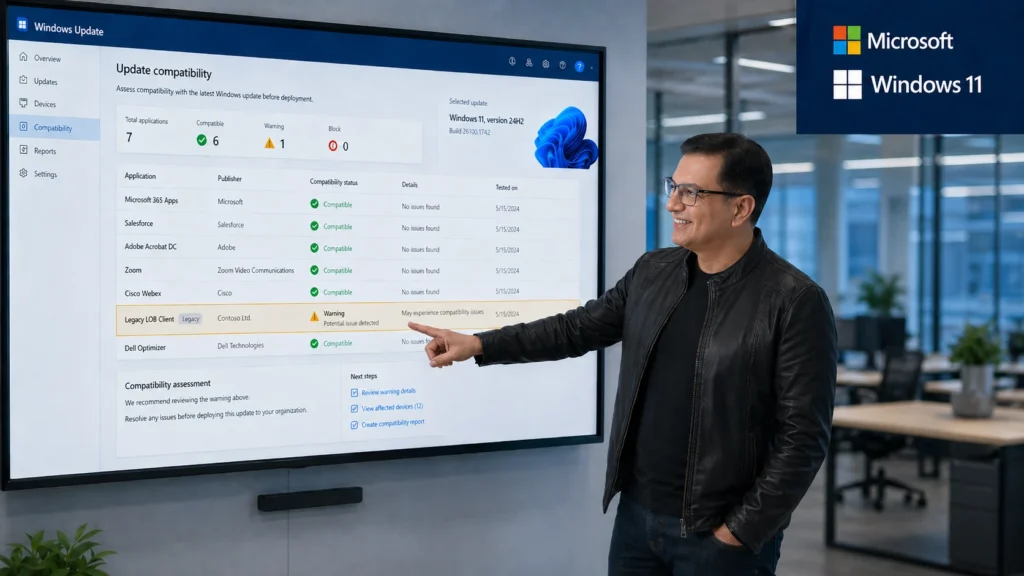
- Compatibility with legacy systems: Many organizations still rely on older hardware or software that may not play well with the latest updates, potentially causing downtime or functionality issues.
- Managing distributed workforces: With hybrid and remote work becoming the norm, ensuring consistent update rollouts across geographically dispersed teams is a logistical challenge.
- Security risks from delays: User-controlled scheduling, while convenient, can lead to delayed updates, leaving systems vulnerable to known exploits.
Consider this example: a mid-sized company recently experienced significant downtime after a critical business application became incompatible with a new Windows update. The issue could have been avoided with proactive testing, but the lack of preparation led to lost productivity and frustrated employees. This underscores the importance of IT teams staying ahead of potential pitfalls through rigorous planning and testing.
How Can Organizations Adapt to the New Update Process?
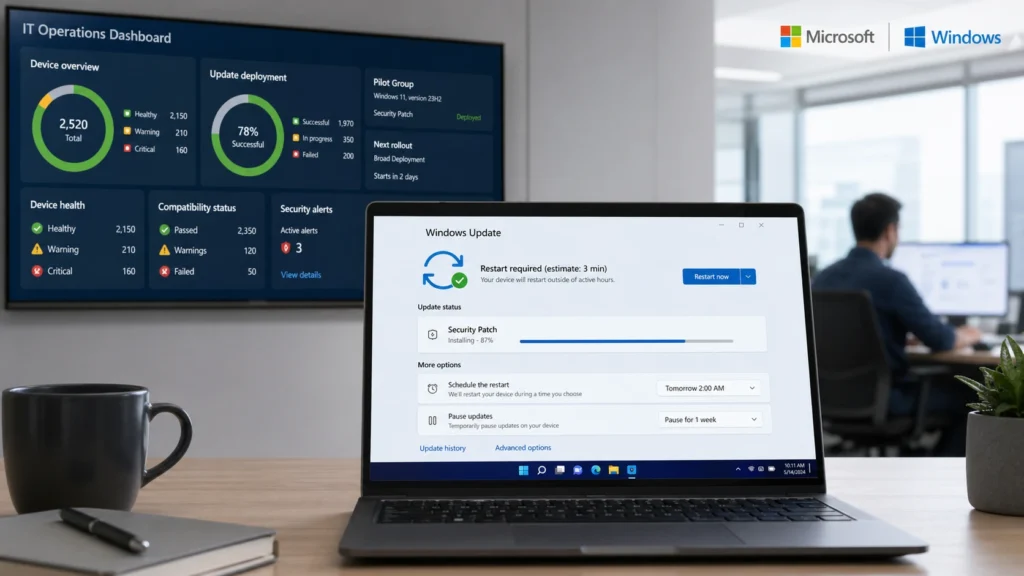
Adapting to the new Windows update experience requires a strategic approach. IT teams must balance the benefits of faster updates with the operational challenges they introduce. Here are some actionable steps organizations can take:
- Phased rollout strategy: Test updates on a small group of devices before deploying them organization-wide. This minimizes risks and allows IT teams to address issues early.
- Leverage automation tools: Utilize tools like Windows Update for Business to automate and manage updates efficiently, ensuring consistency across all devices.
- Regular system audits: Conduct periodic audits to identify potential compatibility issues with legacy systems or third-party software, addressing them proactively.
Organizations that lack the internal resources to manage these complexities can benefit from partnering with experts. For instance, CRES Technology offers managed IT services and vCIO solutions to help businesses optimize their update strategies and maintain operational stability.
What Are the Security Implications of the New Update Model?
The new update process has significant security implications. On one hand, faster updates can address vulnerabilities more quickly, reducing the window of exposure. On the other hand, the increased user control over scheduling and potential for incomplete updates can introduce risks. Here are some key considerations:
- Timely updates are critical: Delayed updates leave systems exposed to known vulnerabilities, which can be exploited by attackers. For example, the infamous WannaCry ransomware attack exploited a vulnerability that had already been patched, but many organizations had not yet applied the update.
- Risks of incomplete updates: If users defer updates or fail to complete them, it creates inconsistencies across devices, complicating security management.
- Endpoint monitoring is essential: Robust endpoint monitoring tools can detect and mitigate threats, ensuring that systems remain secure even when updates are delayed.
To mitigate these risks, organizations should consider proactive monitoring and cybersecurity solutions. CRES Technology provides comprehensive IT services, including endpoint monitoring and threat detection, to help businesses stay secure in the face of evolving update processes.
Conclusion
The new Windows update experience represents a significant step forward for end-users, offering faster, more transparent updates and greater control over scheduling. However, these changes also introduce new challenges for IT teams, including compatibility issues, rollout management complexities, and heightened security risks. To navigate this evolving landscape, organizations must adopt proactive strategies, such as phased rollouts, automation tools, and regular system audits.
We are here to help businesses adapt to these changes with expert guidance and tailored IT solutions. By aligning your update strategy with the new Windows model, you can ensure both user satisfaction and operational stability. Now is the time to reflect on your current approach and take the necessary steps to future-proof your IT environment.
About Irfan Butt

CRES Technology – Founder and CEO
A strategic leader with over twenty years of progressive experience in Business Administration, Finance, Product Development, and Project Management. Irfan has a proven track record in a broad range of industries, including hospitality, real estate, banking, finance, and management consulting.